
What are the benefits?
Here are the benefits:
- Track COGS and inventory: You see what items were ordered.
- Track shipping and discounts: Track total shipping and discounts from the payout.
- Automatically reconciled: The total from Odoo and Shopify will match.
How to I set up the sync?
Here are the steps:
- In Odoo, go to customers > items. Create a new service item called merchant fees.
- In Connex Ecommerce, go to rules engine.
- Add new rule
- Title: Map merchant fee item name
- Action: Map merchant fee item name
- Conditions > Order number is not *
- Value Merchant Fees.
- Go to Connex Ecommerce settings > orders to accounting > transaction type and choose summary payout. This instructs Connex to pull the payout.
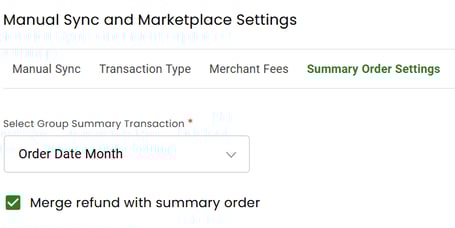
- Under summary order settings, choose merge refunds and order date month. This instructs Connex to create one summary sale combining refunds:
- Map a sales tax item code per set up guide.
Here is an example summary sale from Shopify and Odoo.