
How do I use the billing or shipping address from QuickBooks?
Here are the steps:
- Login to Connex Ecommerce.
- Go to settings > customers.
- Select the selling channel from the drop down.
- Click advanced.
- Select map billing address from QuickBooks or map shipping address from QuickBooks.
How does the sale appear in QuickBooks?
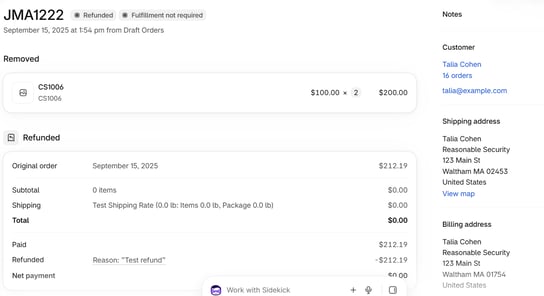
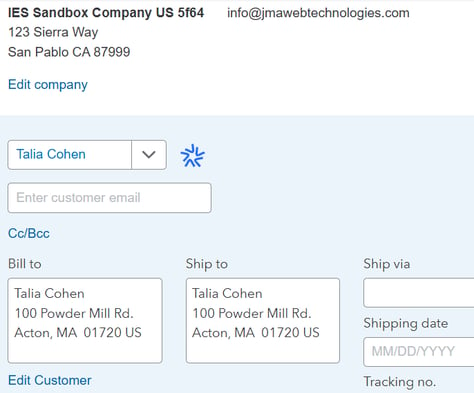
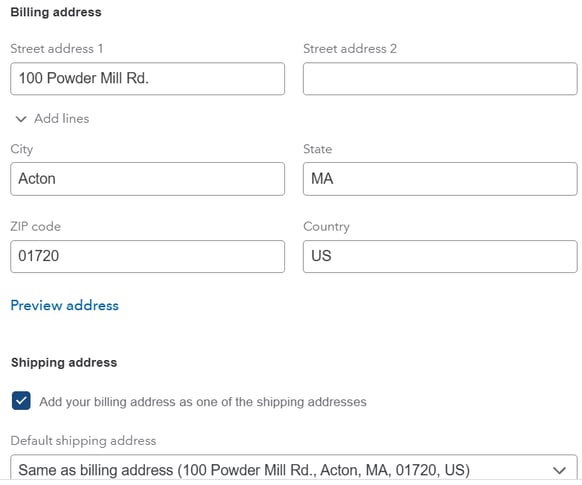
After selecting both the map billing and map shipping address from QuickBooks checkboxes, here is a sale from Shopify and QuickBooks:
Here is QuickBooks Online and Intuit Enterprise Suite:
Is there a way to override the setting with a rule?
Not at this time. You can either write rules to adjust address info based on a field or use the setting. The setting will map all addresses. To use rules, follow these steps:
- Download this spreadsheet. It compares the field billing company. Change the rule name field to a unique name.
- Adjust the field mappings under map to.
- Go to rules engine.
- Upload the rules.