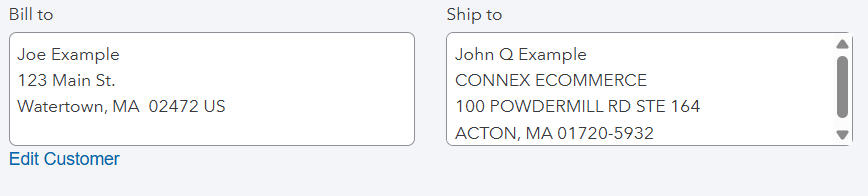
Does ShipStation support split billing and shipping addresses?
When orders are created manually in ShipStation, the interface only captures a shipping address. If the customer's billing address is different, you will need to update the order details directly in your connected system after the sale syncs.
How do I set up my QuickBooks?
Here are the steps:
- In QuickBooks, find the customer or make a new one.
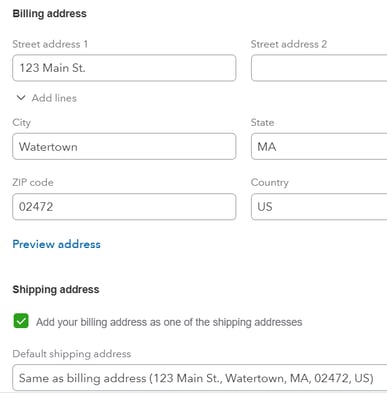
- Enter a valid billing and shipping address. Here is an example from QuickBooks Online:
- Click save.
Next, instruct Connex to use the address from QuickBooks.
How do I enable the setting?
- Login to Connex Ecommerce.
- Go to settings > customer > advanced.
- Select use billing address from accounting system to map the billing address. Select use shipping address from accounting system to map the shipping address.
- Click save.
What is the end result?
Here is the order in ShipStation:
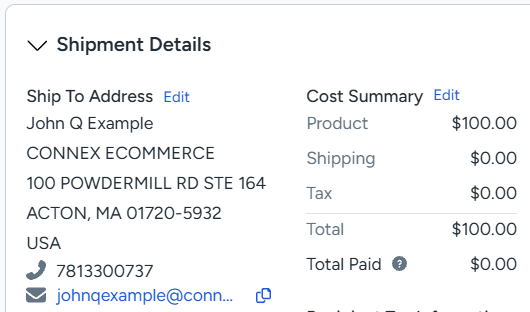
Here is the matching order in QuickBooks: