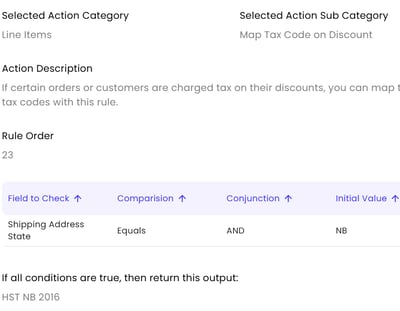
By default, Connex assumes are discounts are non-taxable. If you use QuickBooks Canada, then you must apply a tax code to discounts:
- Go to the Connex Ecommerce rules engine.
- Click add new rule.
- As the title, enter map discount tax.
- As the action, enter map discount tax code.
- Enter logic, like if shipping address region equals NB.
- In the value field, enter the tax code like HST NB 2016.
Here is the end result: