How does it work?
Here are the steps:
- New sales and refunds are available to download.
- At a scheduled interval, which is 24 hours be default, Connex downloads these orders into our database.
- Run your QuickBooks Web Connector.
- The tool download orders from our database.
- Connex syncs the sales to QuickBooks.
How do I speed up the sync?
There are two ways. You can run manual sync to populate the pending transactions ASAP.
If you want to speed the automatic sync, here are the steps:
- Login to Connex.
- Click settings.
- Click scheduled tasks.
- Change the interval on the right.
We recommend 24 hours to ensure a smooth reliable sync.
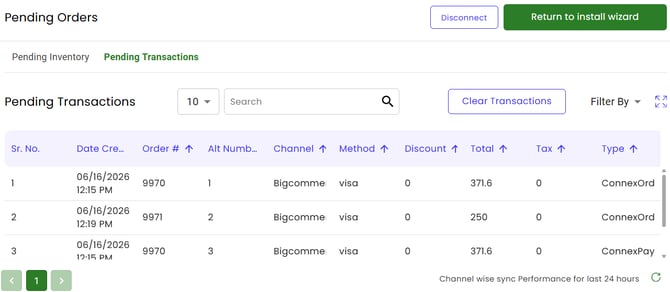
How do I know sales are available to download?
Go to settings > pending and click transaction: