![Connex_Logo_HelpCenter_100h.png]](https://help.connexecommerce.com/hs-fs/hubfs/Connex_Logo_HelpCenter_100h.png?height=50&name=Connex_Logo_HelpCenter_100h.png)
How do I search for reports by dates?
In this example, a user has a payout dated December 29 - January 12th. Here are the steps:
- Next to Amazon, click manual sync.
- In the form that appears, enter a date range:
- End date of a report, which is January 12th.
- End deposit date, which is two dates after on January 14th.
- Click submit.
How do I upload a file with a report?
To upload a specific report using an flat file, follow these steps:
- Login to Amazon Seller Central.
- On the left menu, click payments > payments.
- Click the all statements tab.
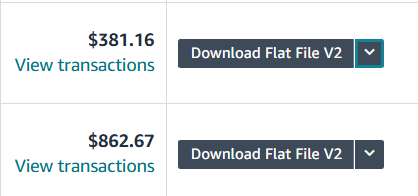
- Next to the proper report, click the down arrow.
- Two options will appear. Take the flat file v2:
- Login to Connex.
- On your dashboard, click manual sync next to Amazon.
- Upload the report from Amazon.
- If you use QuickBooks Enterprise, run your web connector. If you use QuickBooks Online, your sync should sync in 15 - 20 minutes.
- Click sync activity > errors to see errors and orders to see what synced.