![Connex_Logo_HelpCenter_100h.png]](https://help.connexecommerce.com/hs-fs/hubfs/Connex_Logo_HelpCenter_100h.png?height=50&name=Connex_Logo_HelpCenter_100h.png)
Problem
Shipping info fails to appear on the sale.
Description
Ship date, tracking number, and shipping appear as a line item, instead of their respective fields.

Solution
Enable use QuickBooks Online shipping fields
Here are the steps:
- Login to Connex.
- Click settings.
- Expand advanced settings.
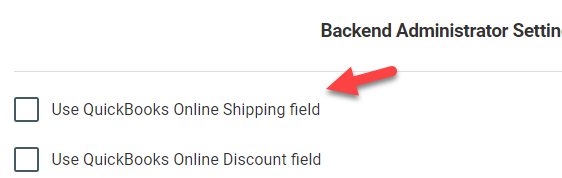
- Check use QuickBooks Online shipping field:
- Click save.
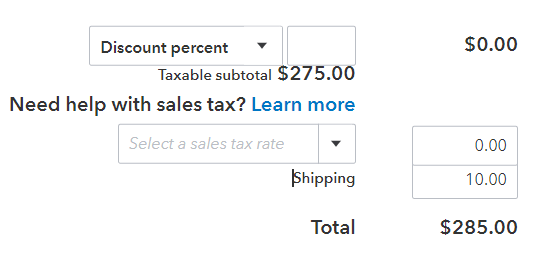
Once you sync a sale, here is the end result:

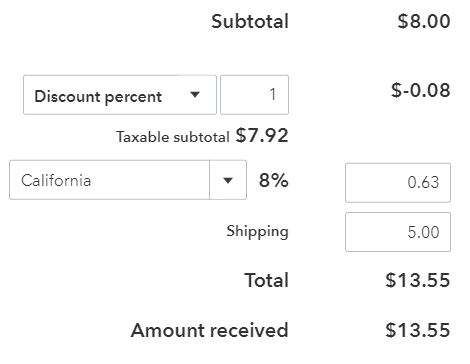
Can I add sales tax to shipping and use the QuickBooks Online shipping field?
Not at this time. QuickBooks charges tax on the sub total, then adds shipping:
Set Up Fields in QuickBooks Online
To set this up in QuickBooks, follow these steps:
- Login to QuickBooks Online.
- Click the gear on the top right.
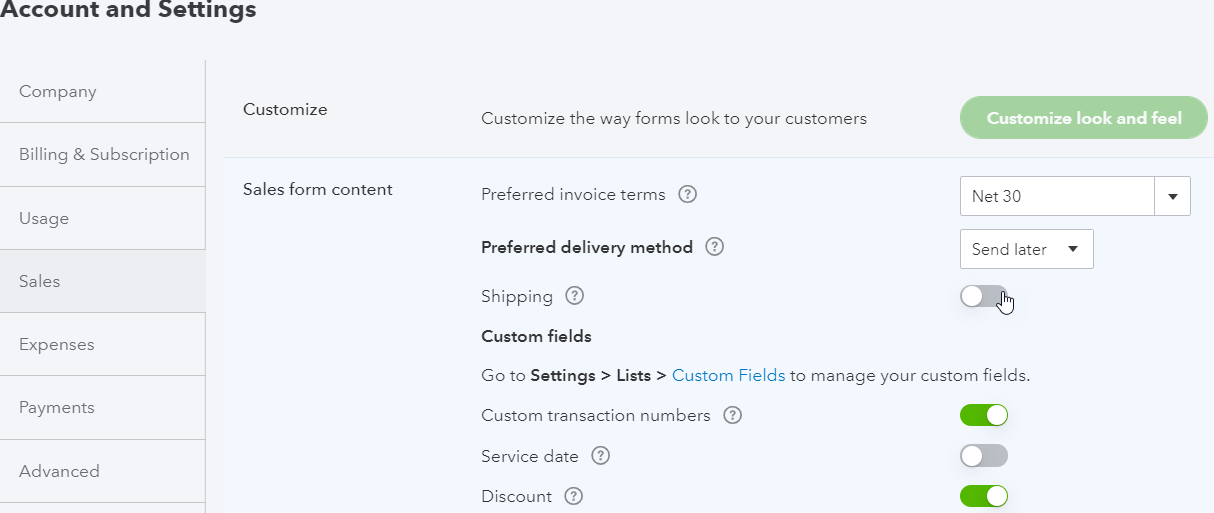
- Under company on the left, click account settings:
- Under sales > sales form content, ensure that the checkbox for shipping is checked:
- Click the Advanced tab.
- Under chart of accounts, ensure that an account has been selected for shipping:
