![Connex_Logo_HelpCenter_100h.png]](https://help.connexecommerce.com/hs-fs/hubfs/Connex_Logo_HelpCenter_100h.png?height=50&name=Connex_Logo_HelpCenter_100h.png)
Problem
Deposits fail to map from QuickBooks.
Description
Connex can sync no deposits, if credit card refunds are missing.
Solutions
Check payment method
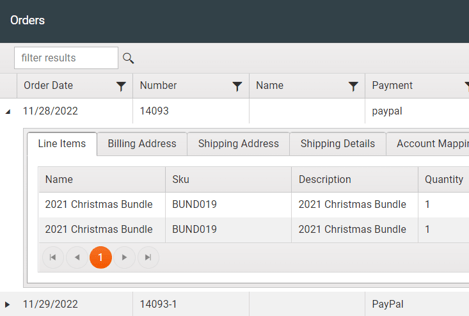
If the payment method is not a credit card, then syncing a credit card refund would fail. Here is an example from our order previewer:
Since this is a non-credit card type, it will fail:
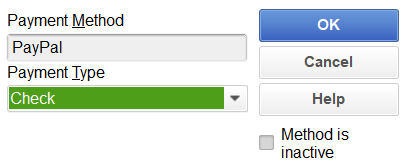
In QuickBooks, change the type from check to visa. Resync the sale:
- Log into Connex.
- Click manual sync.
- Enter 14093.
- Click submit.
- Run the web connector.
- Check the error log for any errors.
- Check QuickBooks and ensure the refund synced.
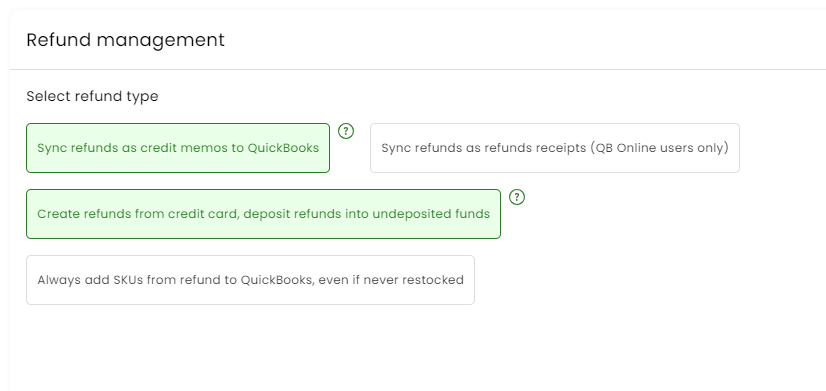
Setting incorrect
Click settings > refunds. Check create credit card refunds. Resync your sales.