![Connex_Logo_HelpCenter_100h.png]](https://help.connexecommerce.com/hs-fs/hubfs/Connex_Logo_HelpCenter_100h.png?height=50&name=Connex_Logo_HelpCenter_100h.png)
Description
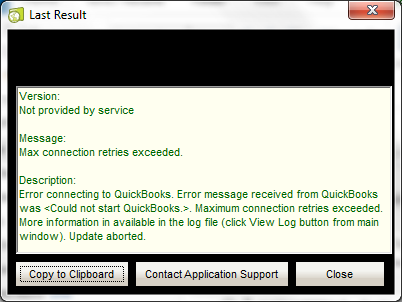
When running any Connex integration via the QuickBooks Web Connector, you encounter error message "Max Connection Retries Exceeded."
Cause
QuickBooks is open, but you are using a different company than you paired. QuickBooks is closed and Connex is unable to locate your company file.
Solution
Update your company file path:
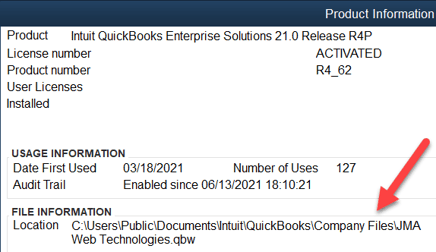
- In QuickBooks, press F2.
- Note the file path:
- Log into Connex.
- Click manage.
- In the company file path, enter the QuickBooks file information: