![Connex_Logo_HelpCenter_100h.png]](https://help.connexecommerce.com/hs-fs/hubfs/Connex_Logo_HelpCenter_100h.png?height=50&name=Connex_Logo_HelpCenter_100h.png)
How can I see the results of a sync?
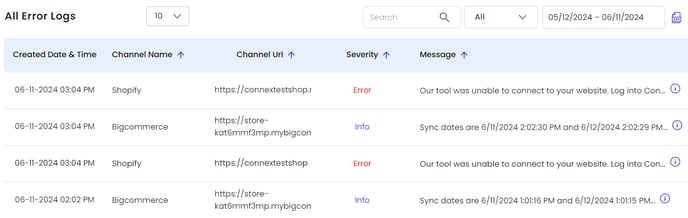
Log into Connex. Click your name on the top right and click sync activity. Connex will log errors and informational messages.
How can I see product updates from Connex to my selling channel?
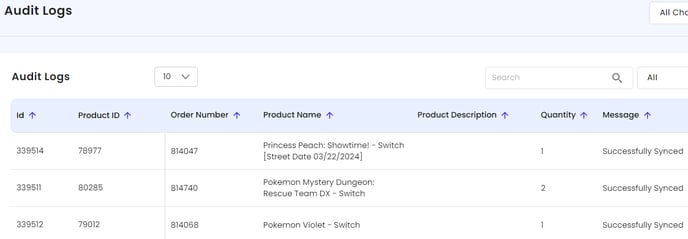
Click on the audit logs tab. You will see details on how Connex arrived at its stock quantities:
How can I see how often my sync runs?
Under sync activity, click the scheduled tasks tab. You can enable or disable a sync. How fast you sync depends on your plan level. We recommend syncing daily. Here are the task types:
| Name | Description |
| Low Inventory | Checks all products and notifies you, if the product requires reordering. Connex will create a notification. |
| Overstock | Checks all products and notifies you, if the product is overstocked. Connex will create a notification. |
| Orders from Selling Channel | Syncs sales from your selling channel to Connex. |
| Products from Connex | Syncs stock and pricing updates from the Connex products table to your selling channels. |