![Connex_Logo_HelpCenter_100h.png]](https://help.connexecommerce.com/hs-fs/hubfs/Connex_Logo_HelpCenter_100h.png?height=50&name=Connex_Logo_HelpCenter_100h.png)
Add a new integration steps
1. Click Add New Channels" from Dashboard Page, Choose from the list the integration you wish to setup. Notice that once selected, a handy instructions guide will appear on screen with integration-specific instructions.

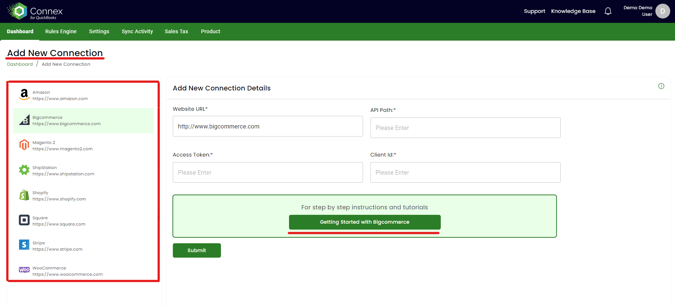
2. Click read instructions to launch the integration-specific guide.
Now that Connex is paired with the chosen integration, the next step is to pair Connex with QuickBooks via the Web Connector.
🔷 Next for QuickBooks Enterprise: Pair the Web Connector
🔷 Next for QuickBooks Online: Install Wizard