![Connex_Logo_HelpCenter_100h.png]](https://help.connexecommerce.com/hs-fs/hubfs/Connex_Logo_HelpCenter_100h.png?height=50&name=Connex_Logo_HelpCenter_100h.png)
How do I delete a connection?
If you moved your company file, move it back to its original location.
-
Login to QuickBooks as the admin.
-
Click File>Update Web Services to bring up the web connector.
-
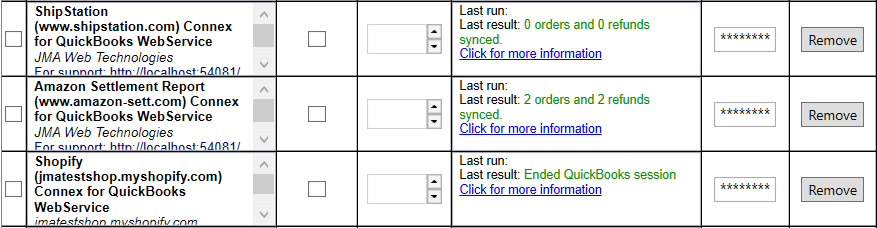
Click remove:
How do I delete connections using the system registry?
Here are the steps:
- In your windows search, enter regedit.
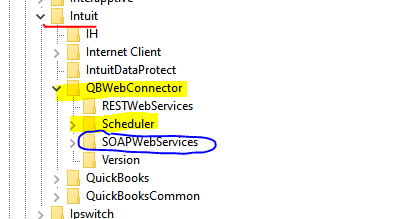
- Go to HKEY_Current_User > Software > Intuit > QBWebConnector > Scheduler.
- Right click and delete the folder.
- Go to SOAPWebServices.
- Right click and delete the folder.
- Here is a diagram:
- Close the web connector.
- Reopen it.