![Connex_Logo_HelpCenter_100h.png]](https://help.connexecommerce.com/hs-fs/hubfs/Connex_Logo_HelpCenter_100h.png?height=50&name=Connex_Logo_HelpCenter_100h.png)
How do I verify IDs?
Here are the steps:
- Log into Connex
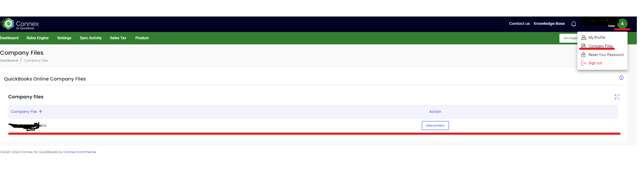
- Click your name and my account on the top right
- Find your company ID:
- Log into QuickBooks.
- Click the gear.
- Click account and settings.
- Click billing and subscription:
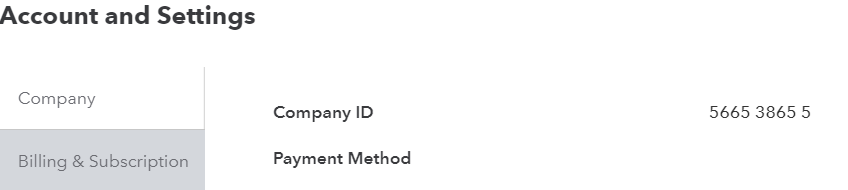
- Verify the company ID.
I want to switch files. What steps must I perform?
Here are the steps:
- Log into Connex.
- Click your name and my account on the right.
- Click disconnect.
- Click the green connect to QuickBooks button to pair.
- Click manage, next to each connection.
- Click save settings on the right.
I want to attach 2 or more company files to my Connex account for QuickBooks online
You will need a separate Connex Account that has a different email for each admin of the QuickBooks company file you want to connect. Please reach out to our sales team or submit a ticket to billing to add a new account.
Example: Company ABC is admin email admin@abc connex user id admin@abc
Company DFG is admin email user@dfg connex user id user@dfg