![Connex_Logo_HelpCenter_100h.png]](https://help.connexecommerce.com/hs-fs/hubfs/Connex_Logo_HelpCenter_100h.png?height=50&name=Connex_Logo_HelpCenter_100h.png)
Problem
You have an Amazon connection in Connex for QuickBooks for one of your two marketplaces. You have a second marketplace in Amazon North America. When you try to pair it, the first connection in Connex is updated.
Description
Connex only allows one Amazon connection called http://www.amazon.com
Solution
Change the connection URL:
- Sign into Amazon as the marketplace that you want to pair:

- Login to Connex.
- Click update selling channel URL on the connections grid.
- Choose your amazon.com connection.
- Change the website to anything you wish:
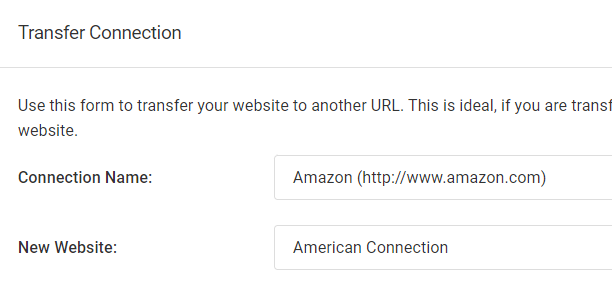
- In QuickBooks, open your web connector and remove the amazon.com connection.
- From our dashboard, click pairing file.
- Click the pairing file to pair it with QuickBooks. Since you changed the website name, your pairing file will no longer work.
- Click add connection.
- Choose Amazon.
- You will pair the new marketplace.