![Connex_Logo_HelpCenter_100h.png]](https://help.connexecommerce.com/hs-fs/hubfs/Connex_Logo_HelpCenter_100h.png?height=50&name=Connex_Logo_HelpCenter_100h.png)
What are the advantages?
Here are the advantages:
- You get a lifetime free account with sandbox. You can get a 30 day free trial of QuickBooks Online or you have to pay for the pro plan.
- You can create sales or sync data without disrupting the live QuickBooks file.
How do I pair the sandbox?
Here are the steps:
- Go to developer.intuit.com and sign up for an account.
- Go to https://developer.intuit.com/app/developer/sandbox and enable the USA sandbox:
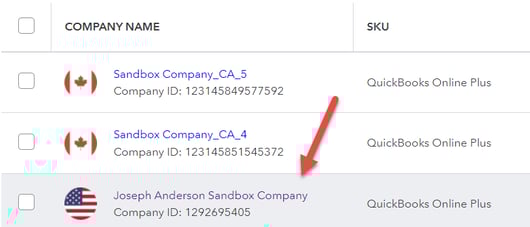
- Go back to Connex.
- Click connections and add QB Online.
- When asked to pair, sign in as the sandbox user.
- From there, create invoices and sales receipts in QuickBooks Online.
- In Connex, go to connections.
- Go to order settings.
- Run a sync from yesterday to today and click save.
- They should sync to the orders tab in a few minutes.