![Connex_Logo_HelpCenter_100h.png]](https://help.connexecommerce.com/hs-fs/hubfs/Connex_Logo_HelpCenter_100h.png?height=50&name=Connex_Logo_HelpCenter_100h.png)
Amazon users must update their Amazon credentials yearly with Connex for QuickBooks. Amazon users receive a notice from Amazon 30 days before the change.
How do I update the credentials?
To update your credentials, follow these steps:
- Login to Connex.
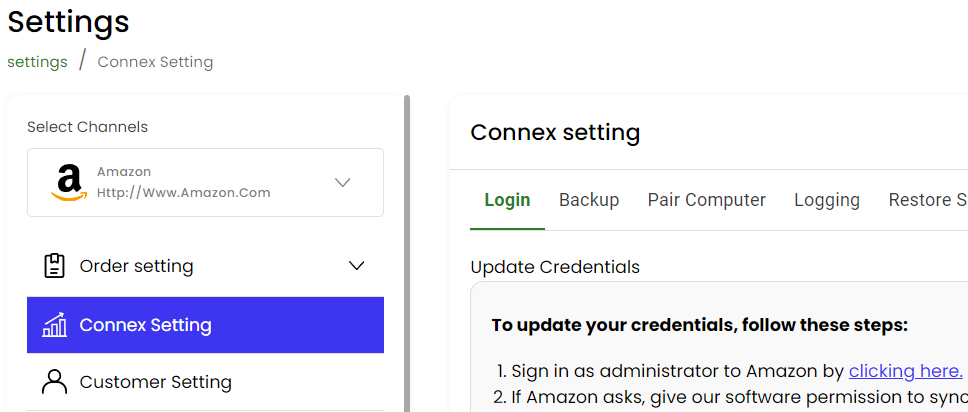
- Click settings.
- Choose Amazon from the drop down on the left.
- Click Connex settings.
- Click the update login button.
- Click the link to sign into Amazon:
- Give us permissions to access your data.
- Amazon will send updated credentials back to Connex for QuickBooks.
- Amazon will send you back to our settings page.
- Run your web connector if you are a QuickBooks Desktop user. For QuickBooks Online users,