![Connex_Logo_HelpCenter_100h.png]](https://help.connexecommerce.com/hs-fs/hubfs/Connex_Logo_HelpCenter_100h.png?height=50&name=Connex_Logo_HelpCenter_100h.png)
How do I see what rules ran?
In this example, a rule that renames all SKUs to ABC is running. Let's see how to troubleshoot.
- On the top nav, click rules engine.
- Click order previewer on the left.
- Select your selling channel.
- Enter an order number.
- Click submit.
- Click the eye icon.
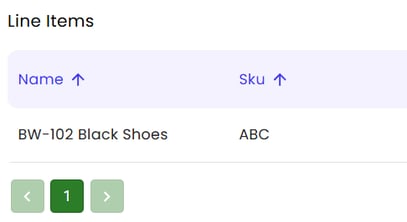
- In the line items, the SKU is changed to ABC:
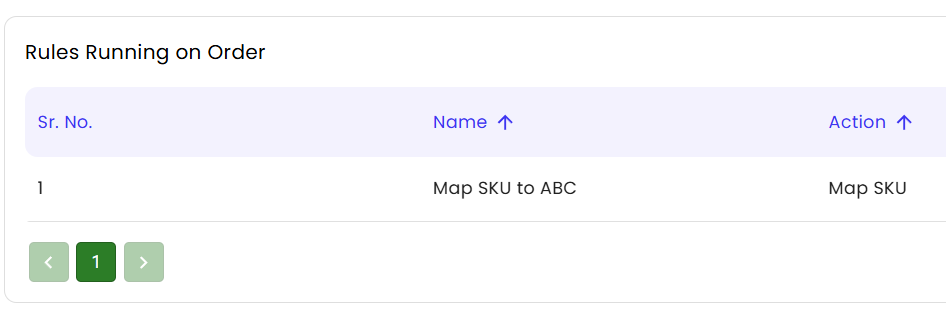
- Scroll down to see what rules ran. The map all SKUs to ABC is running:
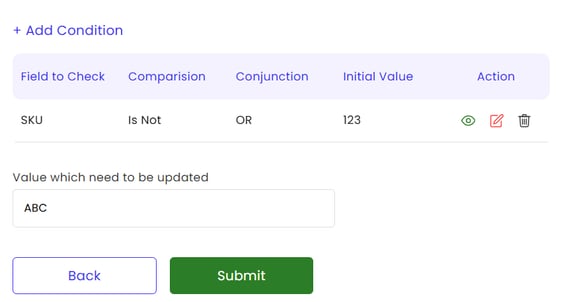
- Click rules engine.
- You can either alter the rule or delete it to make the rule stop running:
- Go back to order previewer and view the order again. The rule no longer runs.