![Connex_Logo_HelpCenter_100h.png]](https://help.connexecommerce.com/hs-fs/hubfs/Connex_Logo_HelpCenter_100h.png?height=50&name=Connex_Logo_HelpCenter_100h.png)
Problem
Connex failed to sync my sale.
Description
Connex logged an error that my QuickBooks and selling channel customer are mismatched.
Solutions
Choose the proper matching field
Login to Connex and click settings. Click customer match. Choose the proper field. If you perform a two way sync of sales with ShipStation, select billing full name as the customer match. This will match the ShipStation bill to name field with the QuickBooks display name as field.
For more info on field matching, read these guides:
- QuickBooks Online
- QuickBooks Desktop
Fix the customer in QuickBooks or the selling channel
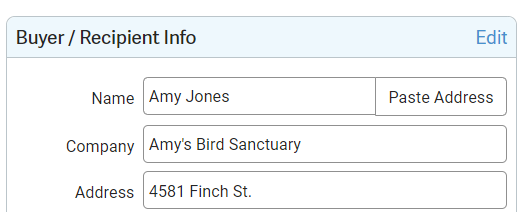
Open the sale in your selling channel. Open the customer record. Change the customer name or company. Here is an example from ShipStation:
Resync your sale.
Create a rule
For more info, read this guide.
Disable missing customer matching
Connex creates new customers by default. To disable, read this guide.