![Connex_Logo_HelpCenter_100h.png]](https://help.connexecommerce.com/hs-fs/hubfs/Connex_Logo_HelpCenter_100h.png?height=50&name=Connex_Logo_HelpCenter_100h.png)
Problem
You cannot sync payments to QuickBooks. Invoices sync without issue.
Description
Your error log says:
Object XX-XX-XXXX specified in the request cannot be found.
Solution
Ensure the A/R account for invoices and payments are identical
QuickBooks is looking for an invoice in a specific A/R account. Ensure they match:
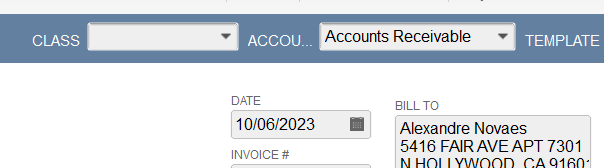
- In QuickBooks, open an invoice.
- Review the A/R account:
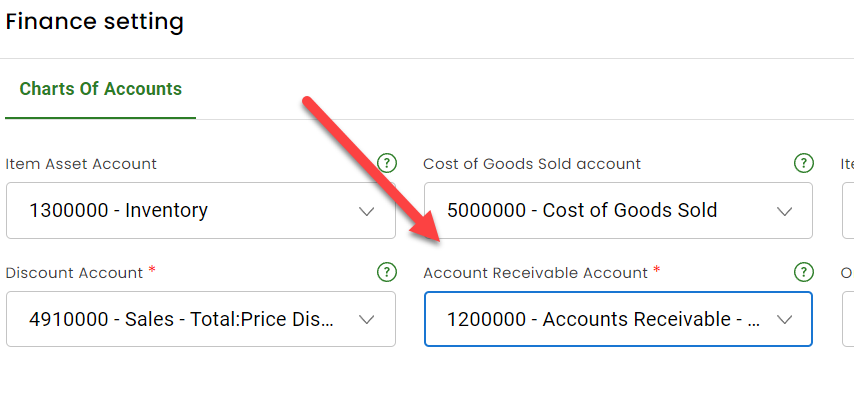
- In Connex, go to settings.
- Go to finance settings.
- Adjust the A/R account setting. In this example, the A/R account in your settings is different than the A/R account on your invoices.
- Click save.