![Connex_Logo_HelpCenter_100h.png]](https://help.connexecommerce.com/hs-fs/hubfs/Connex_Logo_HelpCenter_100h.png?height=50&name=Connex_Logo_HelpCenter_100h.png)
How do I find my ShipStation API keys?
You must obtain V1 API key and API secret from ShipStation. Here are the steps:
- Log into ShipStation.
- On the top right, click the gear icon
- On the Left click account> API Settings
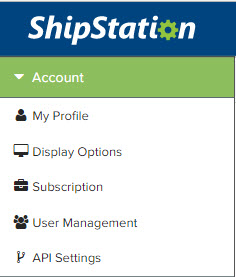
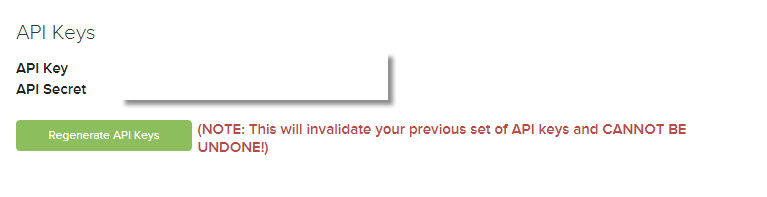
- If you don't see the keys, click regenerate V1 API Keys. You can reach out to Shipstation directly for further assistance if you are not able to obtain new keys.
- This article may help Shipstation V1 API help
- Go back to the "Add new connection" popup in Connex Reporting.
- Enter your API key and API secret.
- Choose a name for this connection, or leave it as "http://www.shipstation.com" as the default.
- Click submit.
How do I add a new connection?
Here are the steps:
- Login to Connex.
- On the top right, click connections.
- Choose Shipstation.
- Complete the form.