![Connex_Logo_HelpCenter_100h.png]](https://help.connexecommerce.com/hs-fs/hubfs/Connex_Logo_HelpCenter_100h.png?height=50&name=Connex_Logo_HelpCenter_100h.png)
How do I pair Connex Reporting and WooCommerce?
Enable Legacy API
Connex uses the legacy API to pull your website's timezone and a list of refunds, and a list of recently modified sales. To enable the API, follow these steps:
-
- Log into WooCommerce.
- On the left, click WooCommerce > Settings > Advanced > REST API.
- Enable the legacy API.
Adding the Connection
You must login to WooCommerce through our app, then configure your settings. Here are the steps:
- Login to your WooCommerce website as admin.
- Login to our software.
- Click connections on the top right.
- Choose WooCommerce:
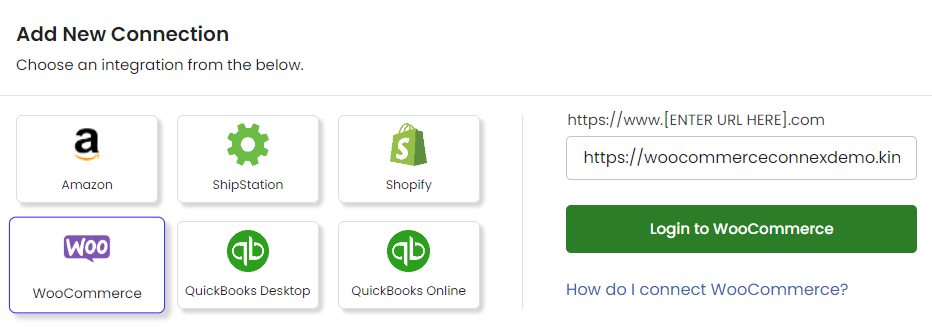
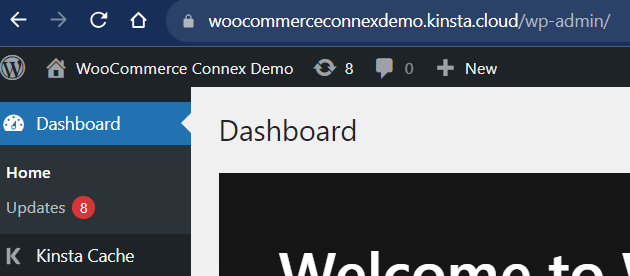
- Enter your website URL. Your URL is located in your browser with WooCommerce. in this example, the website URL is https://woocommerceconnexdemo.kinsta.cloud:
- Obtain WooCommerce API keys.
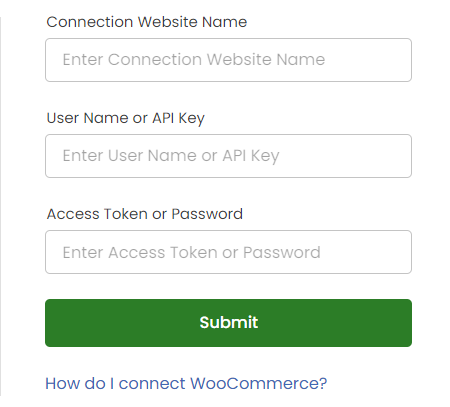
- Enter them into Connex: