![Connex_Logo_HelpCenter_100h.png]](https://help.connexecommerce.com/hs-fs/hubfs/Connex_Logo_HelpCenter_100h.png?height=50&name=Connex_Logo_HelpCenter_100h.png)
Problem
You are mapping custom fields to QuickBooks. Although the sale synced, the custom fields failed to map.
Description
In the log, You receive this error:
There was an error when saving a data extension named CustomField1232.QuickBooks error message : The attribute definition for an attribute could not be found. The definition must exist before associated attributes can be created.
Solution
Check your rules
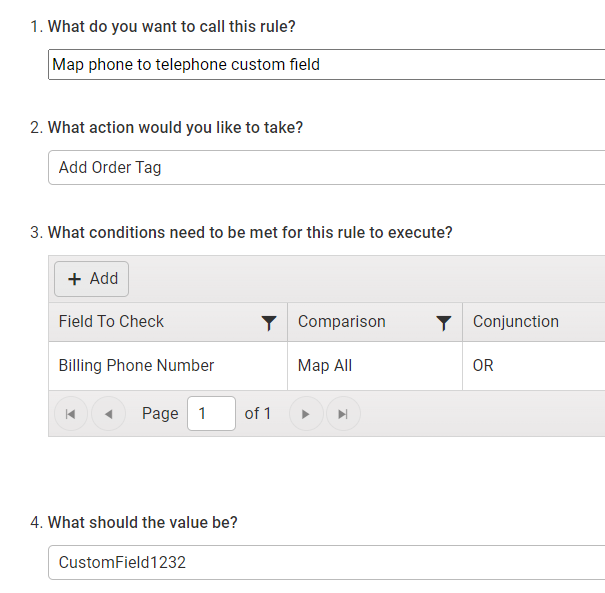
You mapped the fields incorrectly. Ensure you used the proper field name:
- In Connex, click rules > my rules.
- In the search, enter custom field.
- Locate the rule that maps the custom field.
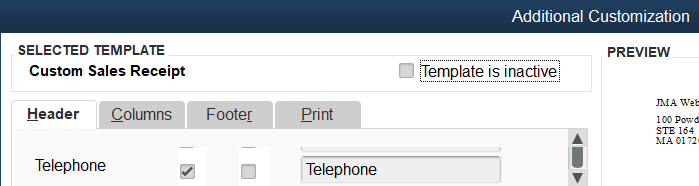
- In QuickBooks, open an order.
- Click formatting > customize data layout.
- Ensure the custom field in QuickBooks and the rule are the same.
In QuickBooks, the field is called Telephone:
In the rules, it is called CustomField1232: