![Connex_Logo_HelpCenter_100h.png]](https://help.connexecommerce.com/hs-fs/hubfs/Connex_Logo_HelpCenter_100h.png?height=50&name=Connex_Logo_HelpCenter_100h.png)
Problem
When you pair QuickBooks on the same machine where you first installed it, you get a unique file ID error.
Description
When you pair QuickBooks, our tool sends an owner ID and a file ID. If you try to pair QuickBooks on another machine and use the same file, QuickBooks tries to pair the same file and owner ID. The file ID and owner ID must be unique.
Solution
The simplest way is downloading a new pairing file or changing the file ID field. Here are the steps:
Solution 1) Downloading a new pairing file:
Please refer to this article for steps on how to download a new pairing file. (click "Remove" on the existing one in the Web Connector before starting)
Solution 2) changing the fileID / ownerID
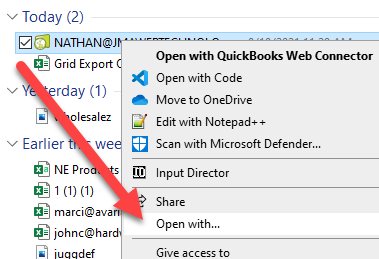
- Right click the QWC and select open with.
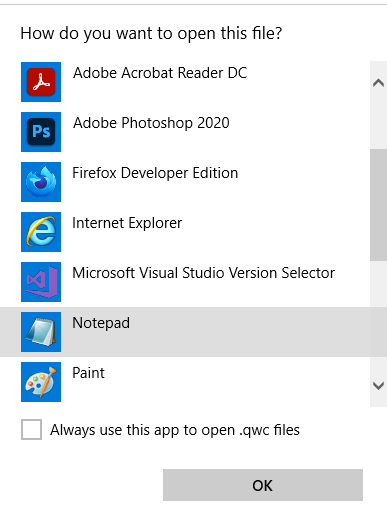
- Choose note pad.
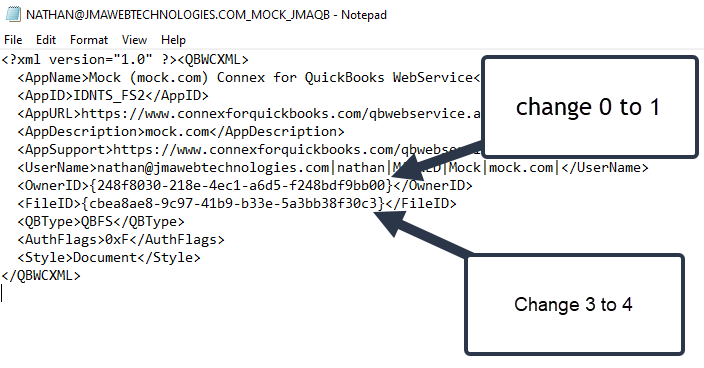
- Change the file ID and owner ID values by changing the last character:
- Save your changes.
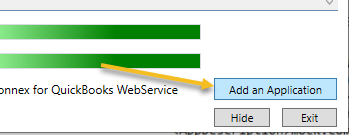
- Open your web connector and click add application.
- Point to the QWC file and click "Open".