![Connex_Logo_HelpCenter_100h.png]](https://help.connexecommerce.com/hs-fs/hubfs/Connex_Logo_HelpCenter_100h.png?height=50&name=Connex_Logo_HelpCenter_100h.png)
I am syncing inventory changes by QuickBooks Enterprise inventory site. What changes are supported?
Here are the changes:
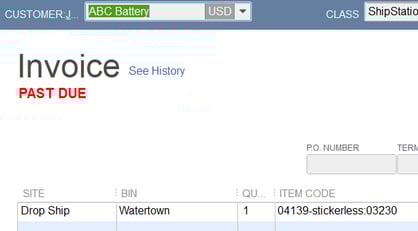
- Create an items receipt, invoice or sales receipt. Complete the inventory site field.
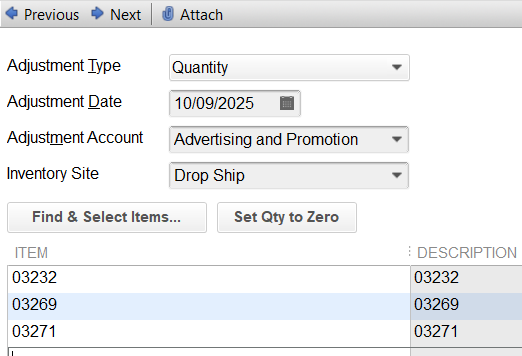
- Create an inventory adjustment. Enter an inventory site.
In these examples, the field drop ship was used:
What updates do you support?
Here are the list of updates:
Change item price or any field
Here are the steps:
- Go to lists > item list.
- Double click a product.
- Change any of the fields.
- Click OK.
- Run the web connector.
Create sale
Here are the steps:
- Go to customers > customer center.
- Create a new sales receipt or invoice.
- Add the items to the invoice with a quantity greater than 1.
- Save the transaction
- Run the web connector.
Create inventory adjustment
Here are the steps:
- In QuickBooks, go to inventory > adjust quantity / value on hand.
- Enter the item.
- Click save.
- Verify that the item's stock level has changed.
- Run your web connector.
Create bill
Here are the steps:
- In QuickBooks, go to vendors > vendor center.
- Create a bill.
- Enter the item.
- Click save.
- Verify that the item's stock level has changed.
- Run your web connector.