![Connex_Logo_HelpCenter_100h.png]](https://help.connexecommerce.com/hs-fs/hubfs/Connex_Logo_HelpCenter_100h.png?height=50&name=Connex_Logo_HelpCenter_100h.png)
Is there a demo?
Yes, here is a demo:
How do I pair Odoo?
Here are the steps:
- Login to Connex.
- Pair a selling channel.
- On the pair accounting page, choose the Odoo tab.
- Enter your Odoo user name and password. Your database name is found in the URL where you enter Odoo. For example, https://connex-commerce.odoo.com/odoo/action-291 means enter connex-commerce:

How do products match?
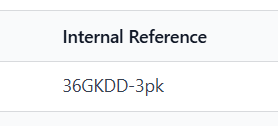
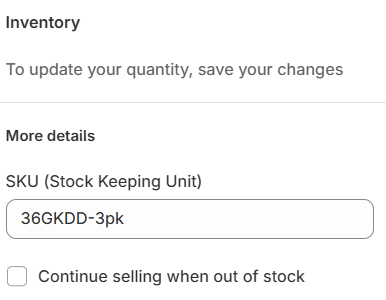
We match the Odoo name field to your product SKU. Here is the Odoo internal reference field:
In Shopify, here is the SKU field:
What touchpoints do you offer?
We sync sales to and from Odoo. We can sync stock updates from Odoo to a selling channel, like Shopify.
How do I map sales tax?
For more info, read this guide.
How do products map?
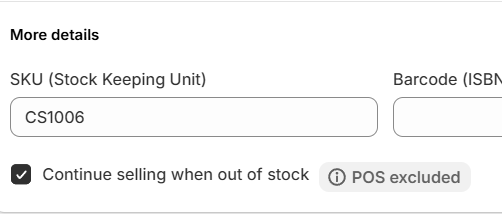
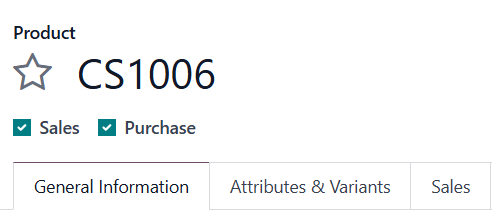
We map the Odoo item name to your website SKU. By default, Connex will make no new products in Odoo. You will be asked to map them.
Here is a SKU in Shopify:
Here is the matching product in Odoo:
How do the fields map?
Here is a list:
| Odoo | Connex |
| Contact | Customer name or company |
| Issue Date | Order Date |
| Due Date | Due Date |
| Invoice Number | Order number. We can use the next number from Xero. |
| Reference | Order number |
| Amounts are | Tax inclusive or tax exclusive. Usually we send tax exclusive |
| Item | Product SKU |
| Description | Product Name |
| Qty | Quantity |
| Price | Unit Price |
| Disc | Not used. We map discount codes as a separate line item. |
| Account | Connex settings > finance settings > income account. Please contact us about mapping the income account from the product. |
| Tax rate | Rules engine tax code. You must map tax codes. |
| Tax amount | Tax amount |
| Amount | Auto calculated in Xero. |
| Shipping maid | Shipping Paid |
| Shipping method | Added as a separate line item. |
| Note | Customer note |
| Payment amount | Payment amount |
| Payment mate | Payment date |
| Payment method | Payment method |
| Customer address | Billing address and shipping address |
| Customer phone and email | Phone and email of incoming order |