![Connex_Logo_HelpCenter_100h.png]](https://help.connexecommerce.com/hs-fs/hubfs/Connex_Logo_HelpCenter_100h.png?height=50&name=Connex_Logo_HelpCenter_100h.png)
Is there a demo video?
Here is a demo:
How do I pair?
Make a Connex account and pair a selling channel. On the next step, choose the other tab. Pair Sage.
In Sage, go to products and services. Create two items with a type of non-stock called SalesTax and orderdiscount.

What integration points do you offer?
We can perform a two way sync of orders and we can sync products from Sage to any solution, like ShipStation.
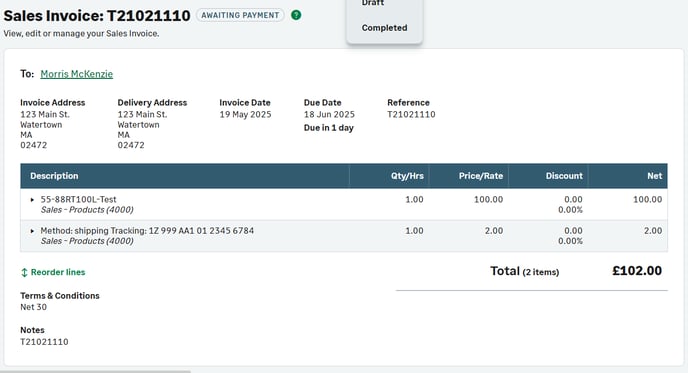
Here is a sample order:
How do I map taxes?
For more info, read this guide.
How do the fields map?
Here is a field mapping:
| Sage | Connex |
| Number | Order Number |
| Customer | Customer first and last name or company |
| Invoice Date | Order Date |
| Due Date | Due date, if the user selects NET 30 we assign NET 30 as the due date. |
| Terms | Terms |
| Reference | Order number |
| Status | Draft or paid, if paid in your selling channel. |
| Currency | Currency |
| Total Tax | Total Tax |
| Balance | Balance |
| Customer Memo | Memo |
| LineItem.Product | Product SKU |
| LineItem.Description | Product name |
| LineItem.Quantity | LineItem.Quantity |
| LineItem.UnitPrice | Unit Price |
| Ledger account | Can be configured with a rule. Go to Connex settings > finance settings |
| Tax Rate | Can be configured using our rules engine or sales tax page in our settings. |
| Discount | Discount |
| Billing address | Billing address |
| Shipping address | Shipping address |
| Customer Email | |
| Customer Phone | Phone |